
Capstone Tips & Tools#
Sensor Precision & Notes#
Time measured by PASCO photogate — stated precision of 0.0001 seconds.
Force measured by PASCO High-Resolution Force Sensor — stated precision of 0.002 N.
Recording Data (No need to delete)#
Recording/Deleting Data in Capstone
NEVER need to click the Delete Last Run button in Capstone. 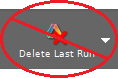 Capstone will just hold on to that data as a past trial that you could go back and look at as needed. When you press Record, Capstone will just create a new Run of data to keep track of.
Plot Toolbar Tools#

Fig. 8 Autoscale axes tool.#
Curve Fitting Procedure#
● Apply the Fit#
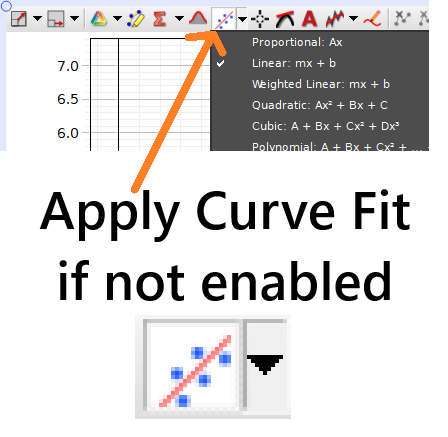
Fig. 9 Capstone process for applying fits to plotted data.#
● Set Y-intercept to Zero if Needed#
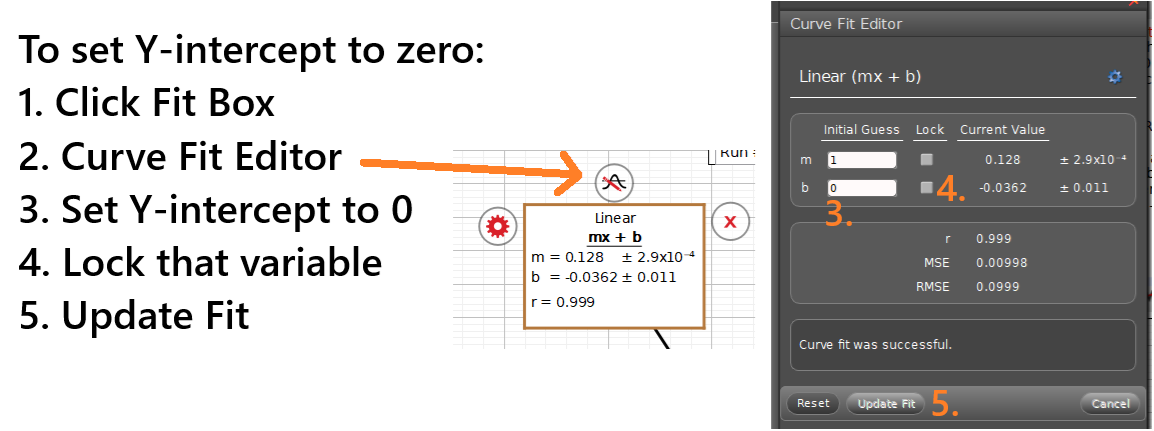
Fig. 10 Capstone process for updating the y-intercept of a linear fit. Bottom) The fit tool can be both enabled/disabled by clicking the main area of the button. Then, the little black arrow provides a dropdown menu with many fit options you from which you can choose.#
● Change Sig. Figs. if Needed#
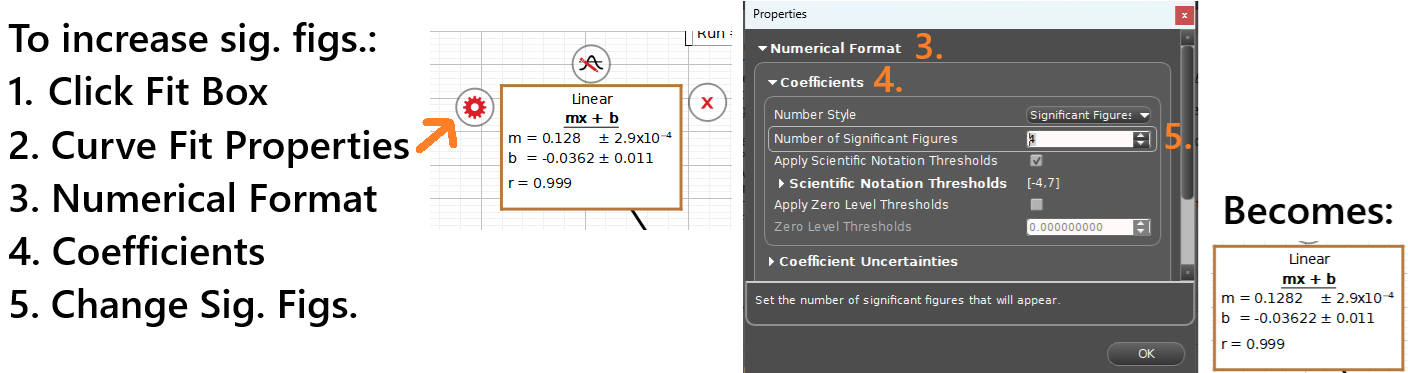
Fig. 11 Capstone process for updating the significant figures (sig. figs.) of a linear fit.#
Replay/display Previous Data Run#
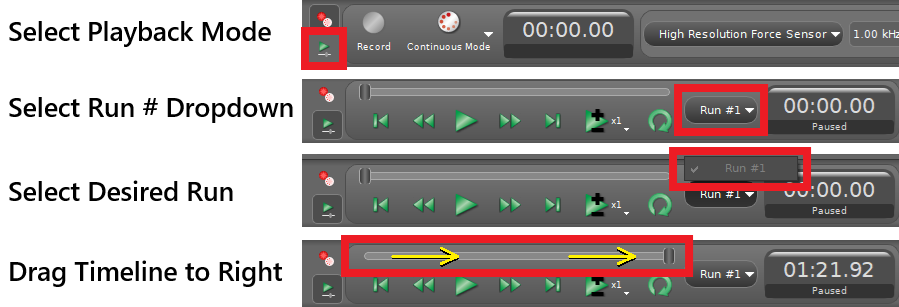
Fig. 12 Process for returning to previous run in Capstone.#